|
Windows
Vista
Network and Dial Up Connections
Instructions for Dial-Up Setup on Windows Vista
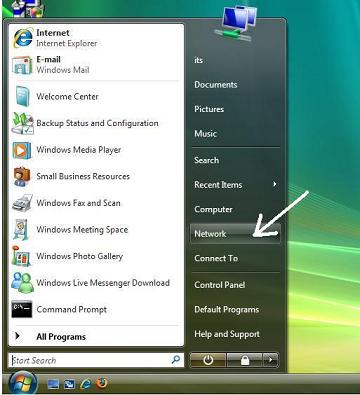
1. Click on the Start Button and then click on
the Network option.
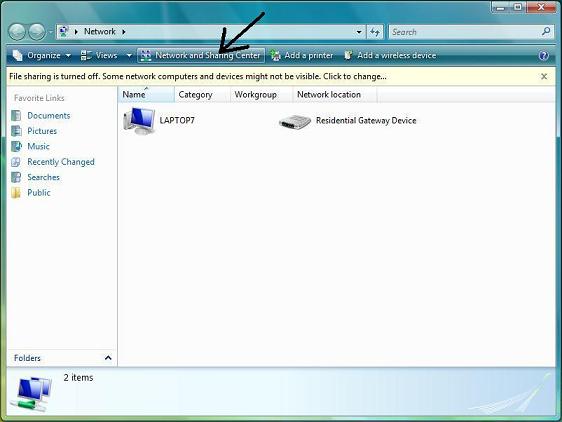
2. Select “Network and Sharing Center ”
from the top of the screen.
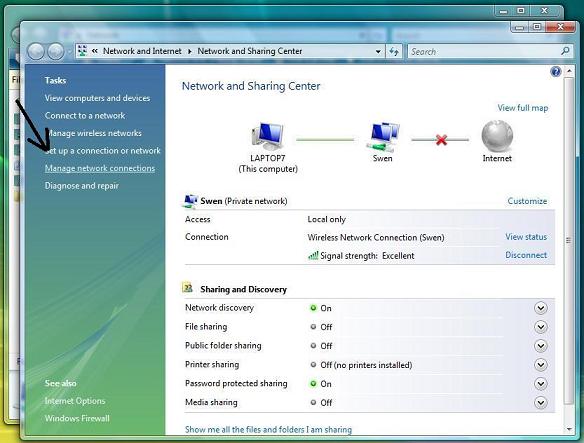
3. Next, Select “Set up a Connection or Network”
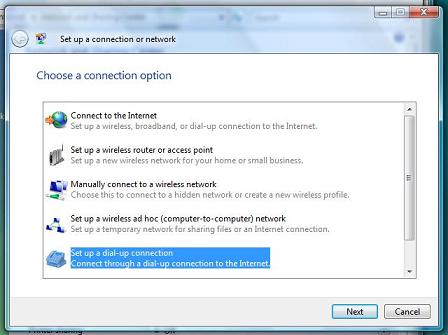
4. Select “Set up a dial-up connection”
from the menu options.
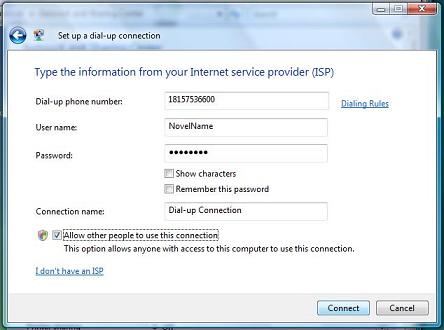
5. Set up the dialup number with the area code included, as
shown. Choose your User Name and Password. There is also an option
at the bottom to select if multiple people will use this
connection.
Then click connect and you are done!
You're
Done! |
|
|
| |
| |
| |


